Skip to content
Afina
API Docs

Optimize your images

Tap below to select from gallery, files, or camera.

AVIF, WebP, JPEG, PNG — compressed with precision.

Tap to select photos

JPEG · PNG · WebP · AVIF · GIF · up to 50 MB
Everything you need

Powerful image optimization with full control over quality, format, and size.

Next-gen formats

Convert to AVIF, WebP, or keep JPEG/PNG — always the smallest file.

Batch processing

Drop dozens of images at once. Optimize them all in a single click.

Visual comparison

Side-by-side before/after with zoom and pixel-level detail.

REST API

Integrate Afina in your pipeline with a simple HTTP endpoint.

Private by design

Images are processed and deleted immediately. Nothing is stored.

Resize & crop

Set max dimensions or crop to exact size — no extra tool needed.

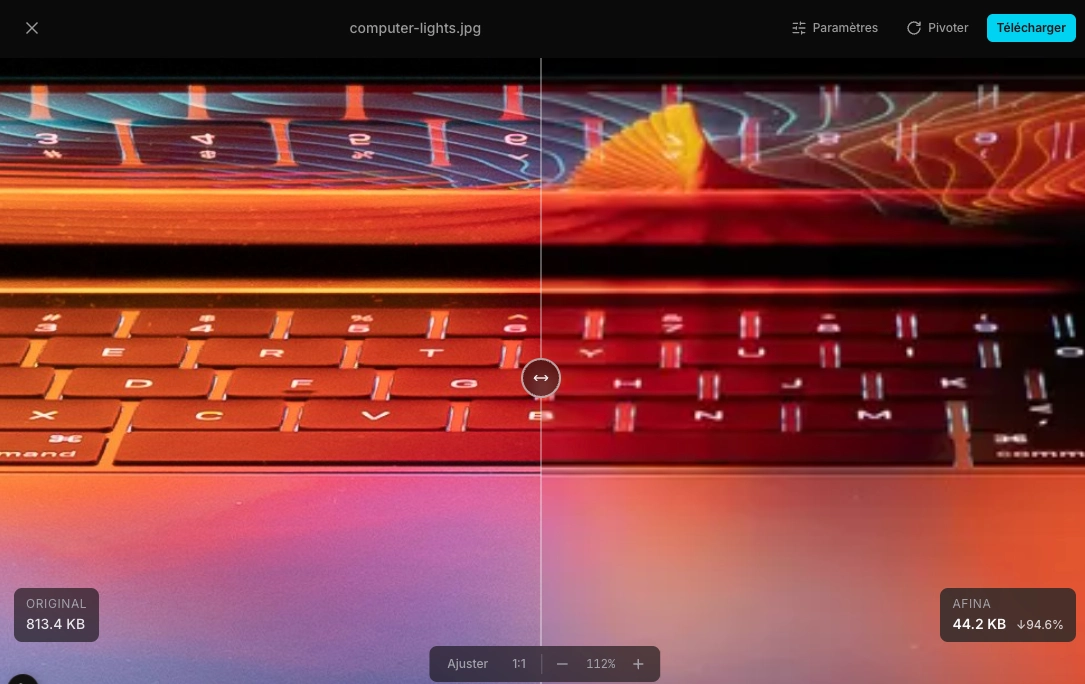
Fine-tune with visual comparison

Adjust compression settings and see the result in real time. No guesswork.

Afina visual comparator — original image (813 KB) vs optimized (44 KB, 94.6% reduction) with before/after slider

Before / After slider

Drag the divider to compare the original and optimized image side by side.

Live adjustments

Change format, quality, or dimensions — the image re-optimizes instantly.

Pixel-level zoom

Zoom in to inspect details. Pan with drag, scroll to zoom.

How it works

Three steps. No account, no installation.

1

Drop your images

Drag & drop or click to select JPEG, PNG, WebP, AVIF, or GIF files.

2

Configure

Choose format, quality, and max dimensions. Or leave the defaults.

3

Download

Get your optimized images individually or as a ZIP archive.

Ready to optimize?

Free, fast, and private. No account needed.